How to get help
This tutorial will guide you on how to get help in Syllables whenever you need support or assistance.
From the Dashboard, click on Help Centre

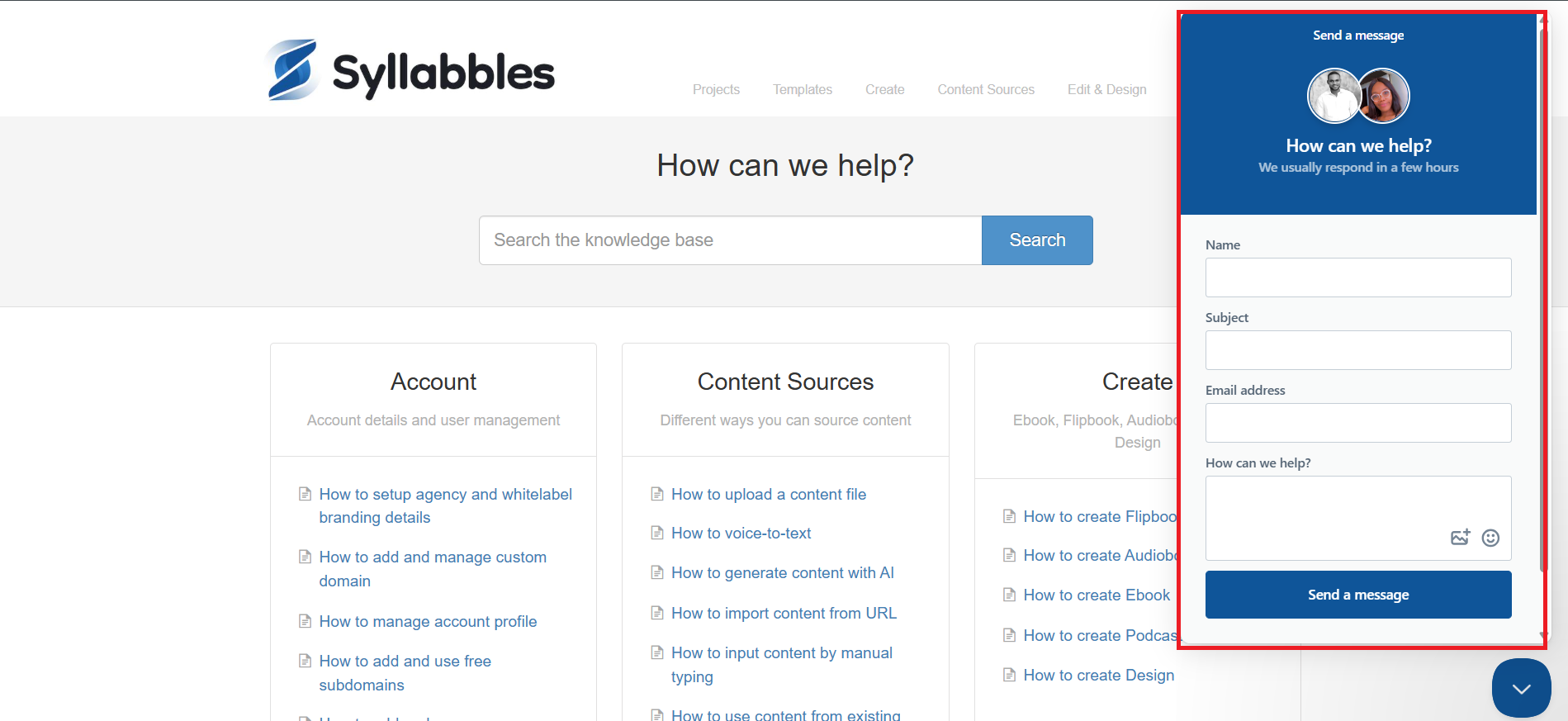
The Syllable support page would be opened, there you can look through the available how-to tutorials to help you navigate the platform. You can select the aspect you want to search using the Navigation menu

You can also use the search bar to find specific help. Simply type what you’re looking for, then click the Search button.

If you’d like to contact support directly, click on Contacts from the Navigation menu, or use the highlighted icon at the bottom-right corner of the page.

You can then enter your Name, The Subject of your Complaint, Email and The Complaint, then click the Send a message button to send your message